Turn your photo into a cross stitch pattern
Choose a photo and get a chart with DMC floss numbers in seconds, made right in your browser. Print it free, or make it look hand-made for your pet or your people.

Welcome back. Your last photo is still on this device.
The free chart is made on your device. Your photo is not uploaded unless you ask for the Designer preview.


Floss list
| Colour | DMC | Name | Stitches | Skeins |
|---|
Tap the subject on your photo
The free chart is yours either way. The Designer pack is this pattern, ready to stitch.
Next to a basic converterThe same photo, the same width
How do I turn a photo into a cross stitch pattern?
Choose a photo, set the size, print the chart. The free chart takes about ten seconds and never leaves your device.
-
1
Choose a photo
One clear subject in good light works best: a pet looking at you, a face, a couple. Crop it close if you can.
-
2
Set the size and colours
Pick the width in stitches and how many colours. A width of 80 to 100 on 14 count Aida is a 6 to 7 inch piece. Each colour is matched to the nearest DMC floss.
-
3
Print and stitch
The free PDF has the chart split into pages, a symbol for every colour, a bold line every ten stitches and the floss list with skeins.
Why do photo patterns look speckled?
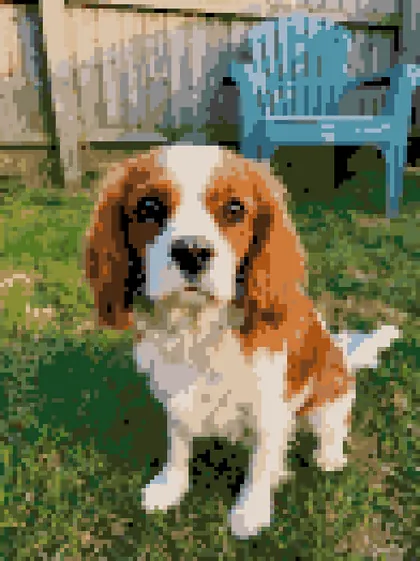
A basic converter stitches every pixel of the photo, grass and fence included, and leaves hundreds of single stitches of a colour on their own. They are slow to stitch and look like noise.
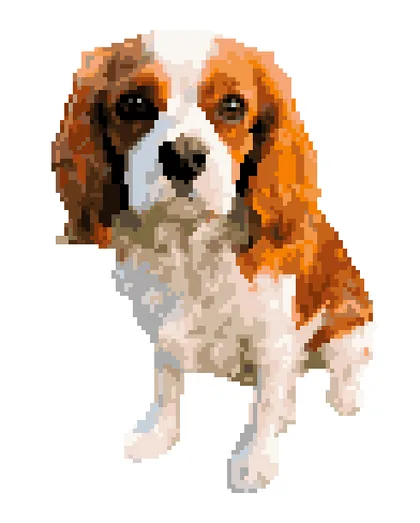
The Designer pack fixes that for portraits. It cuts the pet or the person out and leaves the background as bare fabric, so every stitch goes into the subject. It spends more of its colours on the eyes and nose, where likeness lives. Then it cleans up the lone stitches that remain.
- Basic converter
- 32 colours, 1,225 lone stitches
- Designer pack
- 24 colours, 27 lone stitches
Our sample dog at 98 stitches wide. Lone stitches have no neighbour of the same colour.
What is in the Designer pack?
The pattern an Etsy designer would hand-edit for $19 to $30 and deliver in a few days, from your own photo in about a minute, for $8.99.
- Your subject cut out. The background stays as fabric, so the whole piece is your pet or your people.
- Colours spent on the face. The eyes and nose get their own floss, so it looks like them.
- Stray stitches cleaned. Single stitches merge into their neighbours; the outline is tidy.
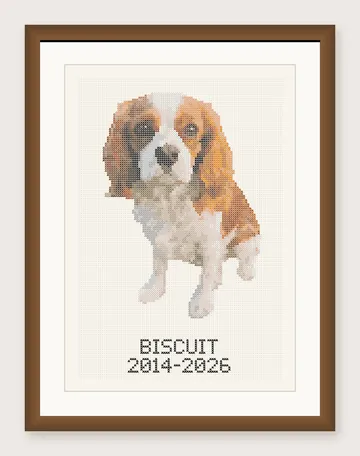
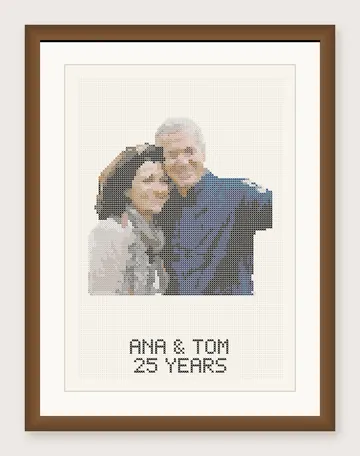
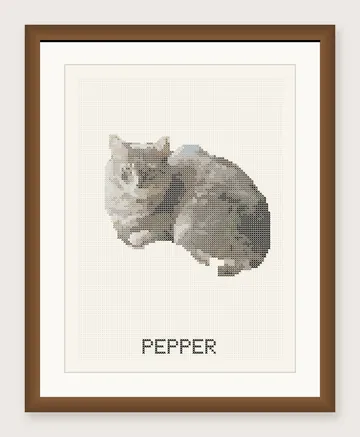
- A name under the portrait. In a stitch alphabet, centred, never split across pages.
- Sized to your frame or your date. 5x7, 8x10 or 11x14, plus a smaller version in the same pack.
- A plan written for this pattern. Hours, a finish date at your pace, where to start, fabric size and a shopping list with tick boxes.
How accurate are the colours and the estimates?
Colours are matched to 454 DMC floss colours with CIEDE2000, the standard measure of how different two colours look. Skeins and hours are estimates, and the PDF says so.
454
DMC colours, from a community table with the known wrong values fixed. DMC publishes no official colour values.
1,100
stitches a skein on 14 count with 2 strands. Published figures range from 400 to 1,785; we plan on the safe side.
120
stitches an hour, the middle of the 100 to 150 most stitchers report. Set your own pace in the plan.
How the pattern maker works, with the cut-out model, the colour matching and every number we use.
Frequently asked questions
How do I turn a photo into a cross stitch pattern?
Is this cross stitch pattern maker free?
How do I create my own cross stitch design?
How many colours should a cross stitch pattern have?
What size will my finished cross stitch be?
Which photos work best?
Can I open the pattern in Pattern Keeper?
What happens to my photo?
Guides and tools
Ready to see your photo as a pattern?
The chart is free and takes seconds. Nothing to install, nothing to sign.